Best SEO Tools for Nepali Websites (2026)
Most SEO tool lists are written for the US.
Yours is not a US website.
A Kathmandu clinic, a Pokhara homestay, and a trekking company in Thamel all face problems those lists never mention. Keyword tools that show zero searches for terms people really use. Visitors on slow mobile connections. Dollar pricing that hurts when you earn in rupees.
So here is a list built for Nepali websites.
The short version: you can run solid SEO with five free tools. Google Search Console, Bing Webmaster Tools, Screaming Frog (free to 500 URLs), PageSpeed Insights, and Ahrefs Webmaster Tools. Pay for something only when one of these hits a real limit.
I’ve also left out tools I don’t use. That keeps the list short; these are the best SEO tools for Nepali websites.
- The quick answer: the best SEO tool for each job
- How I chose these tools
- Truth tools: Google Search Console and Bing Webmaster Tools
- Analytics tools: Google Analytics 4 and Tag Manager
- Diagnosis tools: site audit and crawling
- Opportunity tools: keyword research for Nepal
- Backlink analysis tools
- Page speed and Core Web Vitals tools
- Schema and structured data tools
- Local SEO tools for Nepal
- WordPress SEO plugins
- E-E-A-T tools: checking the trust signals on your pages
- AI tools in an SEO workflow
- Free versus paid: what the first limit looks like
- Three SEO tool stacks by budget
- Common mistakes with SEO tools
- Frequently asked questions
- What is the best free SEO tool for a Nepali website?
- Do I need Ahrefs or Semrush for a small business website?
- Are keyword volumes for Nepal accurate?
- Is Screaming Frog worth paying for?
- What is the best SEO tool for local SEO in Nepal?
- How do I check E-E-A-T on my website?
- Can AI tools replace an SEO specialist?
- How many SEO tools do I need?
- Which tool should I set up first?
- Final thought
The quick answer: the best SEO tool for each job
Skim this table first. The sections below explain each pick, what its free plan allows and when to upgrade.
| Job | Start with (free) | Consider paying for |
|---|---|---|
| Real search data from Google | Google Search Console | Nothing. It is free. |
| Second search data source | Bing Webmaster Tools | Nothing. It is free. |
| Traffic and conversions | Google Analytics 4 | Nothing for most sites |
| Site crawling and audits | Screaming Frog SEO Spider | The paid licence, above 500 URLs |
| Backlinks and own keywords | Ahrefs Webmaster Tools | Ahrefs or Semrush, for competitor data |
| Keyword ideas | Google Keyword Planner and Google Trends | A paid tool, if you research often |
| Page speed | PageSpeed Insights | Nothing for most sites |
| Schema checks | Rich Results Test and Schema Markup Validator | Nothing. Both are free. |
| Local SEO | Google Business Profile | A rank tracker, for many locations |
| Trust and E-E-A-T checks | EEAT Signal Scanner | Nothing. It is free. |
Every tool in the middle column is free.
How I chose these tools
I don’t rank tools by features. I rank them by what they let you decide.
Every SEO tool does one of three jobs. I call them Truth, Diagnosis, and Opportunity.
- Truth tools show what Google actually sees and sends. Google Search Console, Bing Webmaster Tools, and analytics live here.
- Diagnosis tools find what is broken. Crawlers, speed tests and schema validators live here.
- Opportunity tools suggest what to do next. Keyword and backlink tools live here.
Most beginners buy Opportunity tools first. That is backwards.
Opportunity tools estimate. Truth tools measure. If you can’t read your own Search Console data, a paid keyword tool will only give you more numbers to misread.
My four selection rules
- The free plan must be useful. If it only works after payment, it isn’t a starter tool.
- It must work in Nepal. Many tools lean on US and UK data. I check whether the tool is still useful for Nepali searches.
- It must change a decision. A pretty report that doesn’t change what you fix first is a distraction.
- I must be able to explain its limits. Every tool below has a section on what it cannot tell you.
Prices and plan limits in this guide were checked in October 2026. Vendors change them often, so confirm on each tool’s own site before paying.
Truth tools: Google Search Console and Bing Webmaster Tools
Google Search Console
Google Search Console is the one tool every Nepali website needs. It is free, and it comes from Google itself.
It shows the real queries people typed before they saw your site. No other tool can show you that.
The Performance report shows four numbers: clicks, impressions, click-through rate, and average position. You can group them by query, page, country, and device.
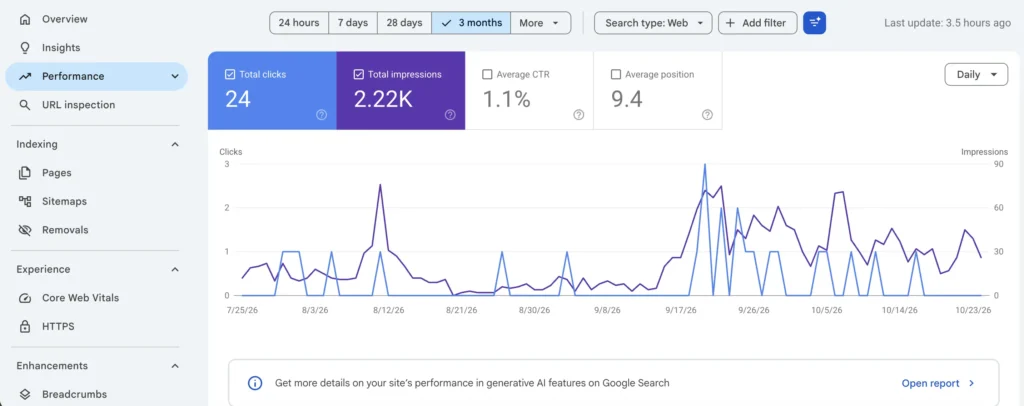
What I check first on any Nepali site
- Countries. Are your visitors in Nepal, India, or abroad? A trekking site and a dental clinic should look very different here.
- Queries with many impressions and few clicks. These usually point to a weak title or meta description.
- Pages with impressions but no clicks. Google shows them, and nobody wants them. Rewrite the title.
- The Page indexing report. It lists pages Google found but did not index, and gives a reason for each.
- The Core Web Vitals report. It groups slow pages by type, so you fix a template once, not 40 pages.
- Sitemaps. Submit your sitemap once. Then check that the number of discovered pages matches what you actually published.
Why it matters more in Nepal
Keyword tools often show zero searches for Nepali queries. Search Console shows the real impressions. When a paid tool says “no volume” and Search Console shows 200 impressions, believe Search Console.
What it cannot do
It can’t show competitors. It also only shows data from the day you verify, so set it up before you need it.
Cost: free.
Bing Webmaster Tools
Bing Webmaster Tools is Microsoft’s version. Few people in Nepal search on Bing, so treat it as a second opinion, not a priority.
It takes ten minutes to set up, because you can import your site from Search Console. In return, you get a separate site scan, keyword data, and backlink insights at no cost.
If a page is slow to index on Google, check how Bing sees it. A different crawler sometimes finds a problem the first one didn’t mention.
Cost: free.
Next steps: if Search Console shows pages stuck as “Crawled, currently not indexed”, a technical SEO fix is usually the quickest way out.
Analytics tools: Google Analytics 4 and Tag Manager
Search Console tells you how people reach your site. Google Analytics 4 tells you what they do next.
For a service business, that second part is what pays the bills. A thousand visitors who never message you are worth less than twenty who do.
What to set up
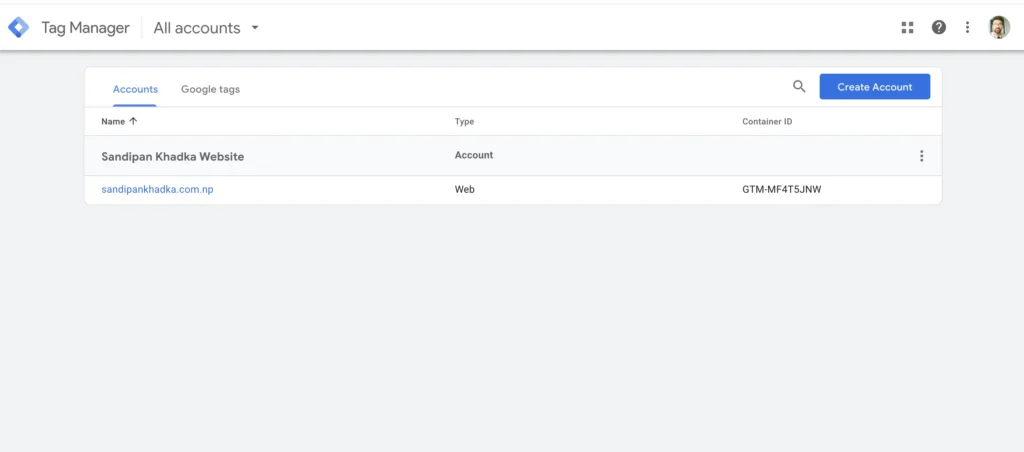
- Install GA4 through Google Tag Manager, so you can change tracking without touching your theme.
- Track the clicks that matter: WhatsApp button clicks, phone taps, contact form submissions, and booking clicks.
- Mark those events as conversions.
- Link GA4 to Search Console, so queries and behavior sit side by side.
Why this matters in Nepal
Many Nepali businesses take enquiries on WhatsApp, not through a form. If you don’t track the WhatsApp click, your analytics will say your SEO brought no leads when it did.
What it cannot do
GA4 can’t show you the queries behind your traffic. It also misses visitors who decline tracking. Treat its numbers as a trend, not an exact count.
Cost: free.
Not sure which pages bring enquiries? An SEO audit can include a tracking check.
Diagnosis tools: site audit and crawling
A crawler visits your pages the way a search engine does. Then it reports what it finds: broken links, missing titles, duplicate pages, redirect chains, blocked pages.
You can’t see these problems by looking at your site. You need a crawler.
Screaming Frog SEO Spider
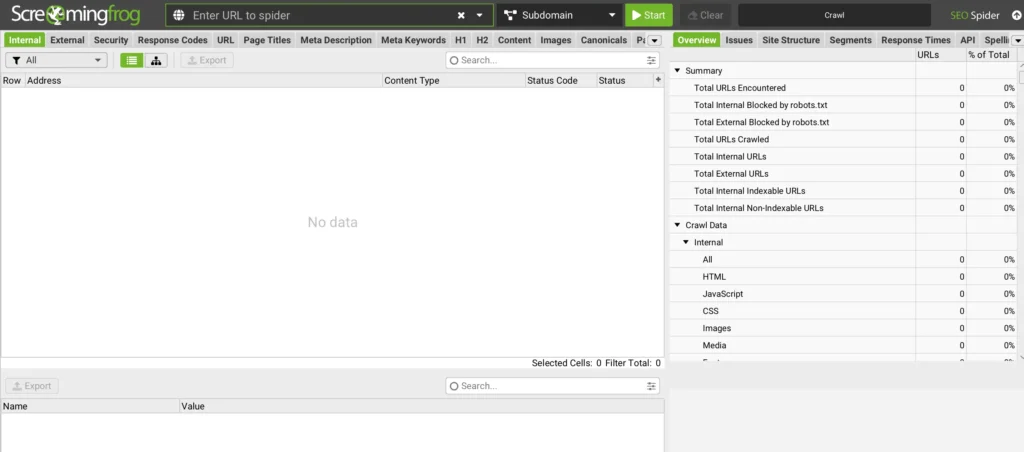
Screaming Frog is the crawler I open first on any audit.
It runs on your computer. The free version crawls up to 500 URLs. That covers most small business sites in Nepal. The paid licence is listed at £199 per year, and it adds saved crawls, scheduling and JavaScript rendering.
Checks I always run
- Pages returning 404 or 5xx errors
- Redirect chains and loops
- Missing, duplicate or too-long page titles
- Missing H1 tags, or pages with two
- Pages with no internal links pointing to them (orphan pages)
- Images with no alt text
- Canonical tags pointing to the wrong page
What it cannot do
It shows what is on your site, not how Google ranks it. Pair it with Search Console.
When to pay: when your site goes above 500 URLs, or when you need scheduled crawls for clients.
Ahrefs Webmaster Tools: Site Audit
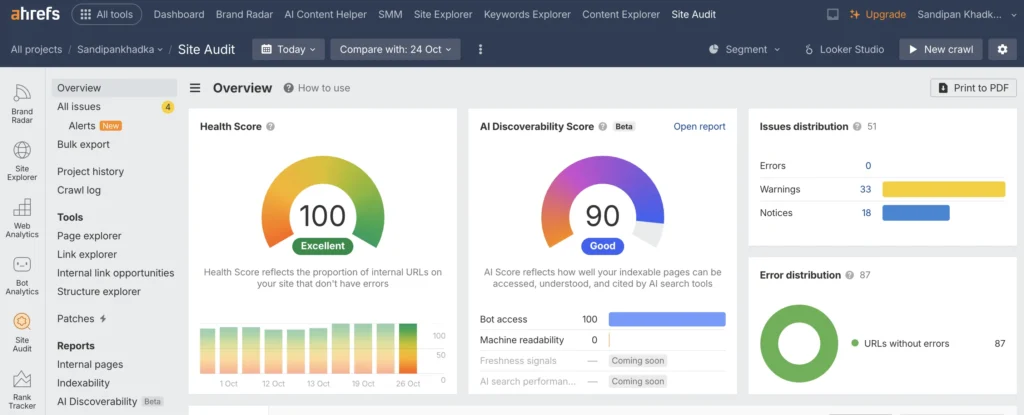
If you own the site, Ahrefs Webmaster Tools gives you a cloud-based audit for free. It checks 170+ technical and on-page issues and tracks a health score over time.
The free limit is 5,000 crawl credits per project each month. That is enough for most small sites.
The score is a prompt, not a goal. A 100 health score does not mean you will rank. Fix what affects visitors and indexing first.
Cost: free for verified sites.
Other crawlers worth knowing
- Seobility. A free plan with one project and a 100-page audit per crawl. Useful for a quick look, too small for a full audit. (Source)
- Ubersuggest. A free plan with a 150-page weekly audit. Fine for a first impression.
If your crawl shows problems you aren’t sure how to prioritize, that is exactly what my SEO audit service does. You get a ranked fix list, not a raw error report.
Opportunity tools: keyword research for Nepal
This is where most Nepali websites go wrong.
A keyword tool says “0 searches per month”. The owner drops the topic. But people search that phrase every day.
The tool isn’t lying. It just has thin data for Nepal.
The Nepal volume problem
Global keyword tools build their numbers from sampled data and Google Ads data. For a small market, many real searches fall below what they can measure. Local spellings, place names and Nepali-language queries make it worse.
So treat keyword volume in Nepal as a rough hint. Never as a verdict.
A test you can run today: pick five queries you know people use, such as a service plus “Kathmandu”. Check them in a paid tool. Then check Search Console for the same terms. If Search Console shows impressions and the tool shows zero, you’ve confirmed the gap on your own site.
What I use, in this order
- Google Search Console. Your real queries, with real impressions. Start here.
- Google autocomplete and “People also ask”. Type your service into Google and read the suggestions. They come from real searches, including Nepali ones.
- Google Keyword Planner. Free with a Google Ads account. It gives ranges, not exact numbers, but it is Google’s own data.
- Google Trends. Free. Compare two terms, or see when interest peaks. Good for seasonal topics like trekking.
- A paid tool, only when the first four run dry.
The paid tools, compared fairly
| Tool | Free plan | Best for |
|---|---|---|
| Ahrefs | Limited. A free keyword generator and the Webmaster Tools for your own site. | Competitor research and backlinks |
| Semrush | A demo project with a handful of daily reports | Agencies running many projects |
| Ubersuggest | A few searches a day and 25 tracked keywords | A first paid step on a small budget |
| Moz | Very limited | Link metrics and domain comparison |
Free plan details come from Dupple’s 2026 roundup. Check each vendor’s site for current limits.
My view: if you manage one or two sites, you don’t need any of these yet. A paid keyword tool starts earning its price when you research competitors weekly.
Search intent beats search volume
A keyword with 20 searches and a buyer behind it beats one with 2,000 browsers. “SEO audit cost Nepal” is a small search, and it comes from someone ready to pay.
Match each page to one intent: learn, compare, or buy. That is the whole job of on-page SEO, and it matters more than any single tool.
If you’d rather have a plan built for your business, my SEO content writing service starts with exactly this research.
Backlink analysis tools
Backlinks are links from other websites to yours. Google treats good ones as a sign that others trust you.
Quality matters far more than count. Ten links from real Nepali business sites beat a thousand from spam directories.
Start free
- Ahrefs Webmaster Tools. Shows the sites linking to you and the keywords you rank for. The free view caps at 1,000 backlinks and 1,000 keywords at once, which is plenty for a small site.
- Google Search Console. The Links report lists your top linking sites and linked pages. It is limited, but it is Google’s own data.
- Bing Webmaster Tools. Includes backlink insights, so you get a second view at no cost.
What to look for
- Relevance. Is the linking site about something related to you?
- Real traffic. Does the site look alive, with recent posts and real readers?
- Natural placement. Is the link inside a useful article, not a footer or a spam list?
- Local fit. Links from Nepali sites and directories help Nepal-focused businesses.
When a paid tool helps
Pay when you want to see your competitors’ links. That is the main thing the free tools can’t show. Ahrefs, Semrush, and Moz all do it. Pick one, not three.
A warning about metrics
Scores like Domain Rating and Domain Authority are tool inventions. Google doesn’t use them. Use them to compare sites with each other, never as a goal.
Avoid anyone who sells a fixed number of links for a low price. Bought links can lead to penalties.
My link building service is built around relevant outreach and a monthly report of every link, with no bought links.
Page speed and Core Web Vitals tools
A slow site loses visitors before they read a word.
Google measures this with three Core Web Vitals. The thresholds for a “good” score are:
| Metric | What it measures | Good score |
|---|---|---|
| Largest Contentful Paint (LCP) | How fast the main content loads | 2.5 seconds or less |
| Interaction to Next Paint (INP) | How fast the page reacts to taps and clicks | 200 milliseconds or less |
| Cumulative Layout Shift (CLS) | How much the page jumps while loading | 0.1 or less |
Google judges each one at the 75th percentile of real page views. So most of your visitors need to have a good experience, not just the fastest ones.
PageSpeed Insights
PageSpeed Insights is free and is the first tool to open. It shows two kinds of data.
- Field data. Real visitors, measured over time. Only appears when your site has enough traffic.
- Lab data. A simulated test run on demand. Always available, and good for checking a fix.
When the two disagree, trust the field data. It is what real people experienced.
Always read the mobile tab first. Most visitors to Nepali sites arrive on phones, often on mobile networks that are slower than your office Wi-Fi.
Lighthouse
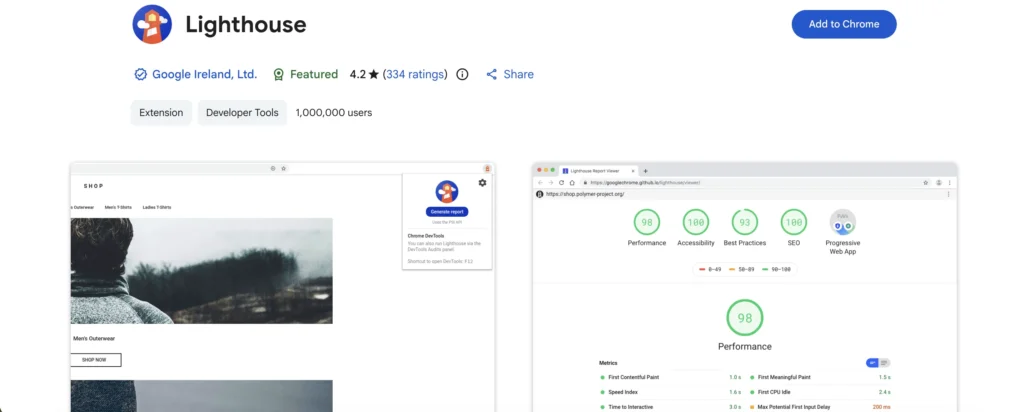
Lighthouse is built into Chrome DevTools. It runs the same engine as PageSpeed Insights, but on your own machine, so you can test pages that aren’t public yet.
GTmetrix
GTmetrix gives a detailed waterfall chart of every file your page loads. It is useful for spotting one heavy image or script that slows everything down.
What actually fixes speed on WordPress
Tools find the problem. These usually fix it:
- Compress and resize images before uploading, and use modern formats such as WebP.
- Load only the plugins and fonts you really use.
- Use a caching or optimization service. I use NitroPack on my own site.
- Give images and embeds fixed dimensions, so the layout doesn’t jump.
- Test again on mobile after every change.
A perfect 100 is not the goal. Passing Core Web Vitals on real mobile use is.
Slow pages that hold back your rankings are the kind of problem my technical SEO service fixes and tests.
Schema and structured data tools
Schema markup is code that tells search engines what your page is about. A business, a service, an article, a person.
It doesn’t boost rankings on its own. It helps Google understand your pages and, for some types, can unlock rich results.
One missing comma can break the whole block, and nothing on the page will look wrong. So always test.
The two free validators
| Tool | What it checks | Use it for |
|---|---|---|
| Rich Results Test | Whether Google can show rich results from your markup | “Will Google use this?” |
| Schema Markup Validator | Whether your markup follows schema.org rules | “Is this code valid?” |
Google explains the split in its structured data documentation. Use both. A page can be valid schema and still not qualify for a Google feature.
My schema checklist
- One main business entity, with a stable
@id, defined on the homepage. - Service and page schema that points back to that entity instead of repeating it.
- Markup that matches what is visible on the page.
- A test after every change, then a re-test after the cache is cleared.
A note on FAQ markup
Google ended FAQ rich results in May 2026. FAQPage markup is still valid, and it can still describe your content, but don’t expect expanded FAQs in search results.
Writing schema in WordPress
Rank Math and similar plugins add basic schema for you. For custom schema, I use a custom schema field or a snippet plugin. Test the live page, not just the code in the editor.
Need it done properly? I add and test schema as part of on-page SEO.
Local SEO tools for Nepal
For a shop, clinic, hotel, or restaurant, the map pack is where customers appear. That is the short list of three businesses Google shows on Google Maps above the normal results.
The best local tool is free, and it isn’t a website. It is your Google Business Profile.
Google Business Profile
Your profile controls how you look on Google Search and Google Maps. Categories, services, photos, hours, posts, questions, and reviews all live here.
Nepal adds its own problems. Many addresses use landmarks, not street numbers. Verification can take several tries. Postcards may never arrive. I cover each of these in my guides on Google Business Profile optimization and local SEO in Nepal.
The manual checks that beat most paid tools
- Search like a customer. Search your service from different parts of your city and see who appears. Results change by location.
- Check your NAP. Name, address, and phone number must match everywhere: your site, your profile, and every directory.
- Read your competitors’ profiles. Look at their categories, photos, and review counts.
- Track reviews. Keep a simple sheet: new reviews each month and whether you replied.
These cost nothing and take an hour.
When a paid local tool helps
Local rank trackers show your position across a grid of points around a business. They help when you manage several locations or report results to clients every month. For one location, the manual check is enough.
One tool you should not skip: your schema
Add LocalBusiness schema with your name, address, phone, hours, and area served. Then test it with the Rich Results Test.
If you want this set up end to end, see my local SEO services in Nepal.
WordPress SEO plugins
Most Nepali business sites run on WordPress. A good SEO plugin handles the repetitive parts: titles, meta descriptions, sitemaps, redirects, and basic schema.
| Plugin | What it does well | Watch out for |
|---|---|---|
| Rank Math | Titles, sitemaps, redirects, and schema in one place. It is what I use. | The free plan allows one schema type per post |
| Yoast SEO | A simple, widely used setup with readability checks | Check which features sit in the paid version before you commit |
My rule: use one SEO plugin, never two. Two plugins fight over titles and schema, and the page ends up with duplicate tags.
SEO plugins also don’t do the SEO for you. A green score means your page ticked a checklist. It doesn’t mean the page is useful.
Avoid piling on plugins. Every plugin adds code, and extra code slows the page. Remove what you don’t use.
After any plugin change, do three things:
- Check the page source for duplicate titles or schema.
- Retest the page in PageSpeed Insights.
- Clear your cache, then check the live page again.
E-E-A-T tools: checking the trust signals on your pages
E-E-A-T stands for Experience, Expertise, Authoritativeness, and Trust. Google’s guidance on helpful content uses these ideas to describe content people can rely on, and it treats trust as the most important of the four.
No tool can measure E-E-A-T for you. It isn’t a score Google gives out. But you can check whether your pages show the signals a reader looks for.
What the signals look like on a page
| Signal | What a reader needs to see |
|---|---|
| Experience | First-hand detail: what you did, tested or saw, with real examples |
| Expertise | A named author with a bio, credentials and links to their work |
| Authoritativeness | Citations to reliable sources and mentions from others |
| Trust | Contact details, clear policies, HTTPS, reviews, and fresh content |
EEAT Signal Scanner
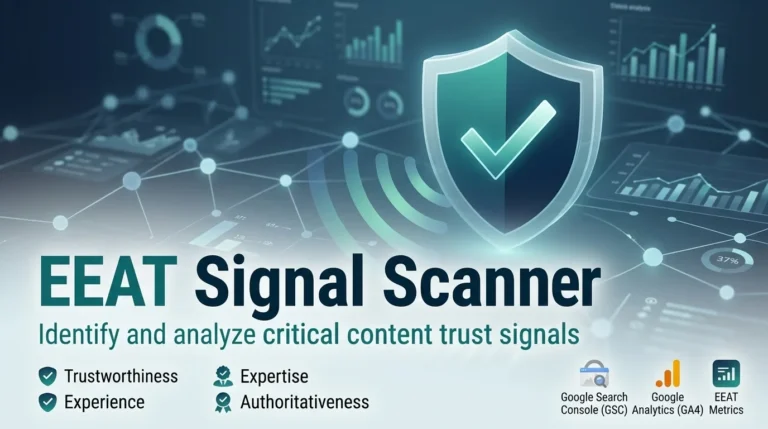
I built a free Chrome extension to check these on any page. The EEAT Signal Scanner scans the page you have open and scores visible trust signals across the four areas.
It looks for things like:
- First-person experience and specific details
- Author bylines, bios, and links
- Person and Organization schema
- Outbound links to reliable sources
- Contact, privacy, and about links, and review markup
- How recently the content was updated
It runs in your browser and sends nothing anywhere. It suggests fixes for what it finds.
What it doesn’t do. It can’t verify that a claim or a credential is true. It is not an official Google tool, and a high score does not guarantee rankings. Use it to find gaps, then fix them with real information.
You can read how it works and download it here.
A manual E-E-A-T check in five minutes
- Does the page name a real author, with a bio and a photo?
- Does it show what the author actually did, not just general advice?
- Are claims backed by links to reliable sources?
- Can a visitor find your phone, email or address in one click?
- Is there a visible date, and is it recent?
If you answer “no” to two or more, fix the page before you write a new one.
AI tools in an SEO workflow
AI assistants can speed up SEO work. They can also quietly damage it.
Google’s guidance on AI-generated content says the method isn’t the problem. Content made mainly to manipulate rankings is. Content that helps people can be fine; however, it was produced.
Where AI helps
- Grouping a long list of keywords by topic or intent
- Drafting an outline, which you then correct
- Summarizing a large crawl export, so you can spot patterns
- Drafting schema, which you must test before use
- Rewriting your own clumsy sentences
Where AI hurts
- Facts about Nepal. Addresses, laws, prices, and place names are easy to get wrong. Verify each one.
- Experience. An AI hasn’t run your audit, visited your hotel, or fixed your site. Experience is your edge, so don’t outsource it.
- Whole articles with no edit. They read like the 500 other posts, which is exactly what you want to avoid.
A simple rule
Use AI to prepare. Write and check the final version yourself, with real examples and named sources.
Free versus paid: what the first limit looks like
Every free plan has a ceiling. The question is when you hit it.
| Tool | Free plan | First paid tier | You hit the limit when |
|---|---|---|---|
| Google Search Console | Full | None | Never |
| Bing Webmaster Tools | Full | None | Never |
| Google Analytics 4 | Full for most sites | None needed | Never, for most sites |
| Screaming Frog | Crawls up to 500 URLs | £199 per year | Your site passes 500 URLs |
| Ahrefs Webmaster Tools | Your own verified sites only | Ahrefs plans, from about $29 per month | You need competitor data |
| Semrush | A demo project | From about $139 per month | You manage many client projects |
| Ubersuggest | A few reports a day | From about $29 per month | You research every day |
| Moz | Very limited | From about $49 per month | You need link metrics for many sites |
The Screaming Frog price comes from its own pricing page. The other paid prices come from a third-party roundup and may have changed. Check before you buy.
Most paid tools bill in US dollars. For a freelancer earning in rupees, an annual plan is a real decision. Wait until a free tool actually blocks you.
Three SEO tool stacks by budget
Pick the stack that matches where you are. Move up only when a free tool blocks you.
Stack 1: NPR 0 (a small business owner or a beginner)
- Google Search Console and Bing Webmaster Tools
- Google Analytics 4 with Tag Manager
- Screaming Frog free version
- Ahrefs Webmaster Tools
- PageSpeed Insights
- Rich Results Test and Schema Markup Validator
- Google Keyword Planner and Google Trends
- Google Business Profile
- EEAT Signal Scanner
This covers about everything a single business site needs.
Stack 2: one paid tool (a freelancer with several clients)
Everything in Stack 1, plus:
- A Screaming Frog licence, for saved and scheduled crawls
- One keyword and backlink tool, such as Ubersuggest or an Ahrefs plan
Choose one. Don’t buy two tools that do the same job.
Stack 3: agency (many clients and monthly reports)
Everything in Stack 2, plus:
- A full Ahrefs or Semrush plan, for competitor research across projects
- A local rank tracker, if you manage several locations
- A reporting setup that pulls Search Console and GA4 into one client view
Most people in Nepal never need Stack 3. Start at Stack 1 and be honest about when you outgrow it.
Not sure which stack fits your site? Send me your link, and I’ll tell you what you need and what you can skip. You can contact me here.
Common mistakes with SEO tools
- Chasing a score. A 100 in a tool is not a ranking. Fix what helps visitors and indexing first.
- Trusting zero volume. For Nepali searches, check Search Console before you drop a topic.
- Buying before learning. Many owners pay for Semrush and never open Search Console. Learn the free data first.
- Collecting reports and acting on none. Pick the three fixes with the biggest impact, and do them this week.
- Running two SEO plugins. They create duplicate titles and schema.
- Skipping tracking for WhatsApp. If the main enquiry channel isn’t tracked, your SEO looks like it brings no leads.
- Ignoring mobile. Test every speed fix on a phone, not just a laptop.
- Forgetting the human part. Tools find problems. They can’t tell you which ones matter to your business. That judgment is the work.
If your tools show a long error list and you don’t know where to start, my SEO audit turns it into a ranked fix list. You can also see results from real projects.
Frequently asked questions
What is the best free SEO tool for a Nepali website?
Google Search Console. It shows the real queries behind your traffic and tells you which pages Google has and hasn’t indexed. No other free tool offers that.
Do I need Ahrefs or Semrush for a small business website?
Usually not. Search Console, Screaming Frog’s free version, PageSpeed Insights, and Ahrefs Webmaster Tools cover most needs. Consider a paid tool when you research competitors every week.
Are keyword volumes for Nepal accurate?
Not reliably. Many Nepali searches show very low or zero volume in international tools even though people search for them. Use Search Console impressions as your main guide, and treat tool volumes as a rough hint.
Is Screaming Frog worth paying for?
If your site has more than 500 URLs, or you want saved and scheduled crawls, yes. For a small site, the free version is enough.
What is the best SEO tool for local SEO in Nepal?
Your Google Business Profile. It controls how you appear on Google Maps and in the map pack. Pair it with consistent business listings and regular review replies.
How do I check E-E-A-T on my website?
No tool can measure it, because it isn’t a score Google publishes. You can check whether pages show the signals: named authors, first-hand experience, sources, contact details, and fresh content. The EEAT Signal Scanner automates that check.
Can AI tools replace an SEO specialist?
No. AI can speed up grouping keywords and drafting outlines. It can’t judge which problems matter for your business, and it can’t supply real experience. Use it to prepare, then decide for yourself.
How many SEO tools do I need?
Fewer than you think. Nine free tools cover a single business site. Add one paid tool only when a free one blocks a task you need to do.
Which tool should I set up first?
Google Search Console, then Bing Webmaster Tools. Both take minutes, cost nothing, and give you data you will use for every later decision.
Final thought
Good SEO comes from a few reliable numbers and the habit of acting on them.
Start with the free stack. Learn it properly. Add a paid tool only when a real task needs it.
The tools find the problems. You still have to decide which ones matter for your business.